Building trust through a GDPR manager
I designed a retention manager that deletes 100K+ records automatically while users checks.

👥
Lead UX Discovery & Design
🎓
Create regulatory eXperience
🤝
100% compliant
The problem
Quick reminder of General Data Protection Regulation stands for GDPR. It mandates the implementation of data retention policies (RP) to ensure compliance with its requirements.
Regulatory pressure was raising, clients needed automated data retention policies to stay GDPR-compliant.
But giving  users a "delete everything automatically" button isn't just  a UX challenge, it implies trust.
The reality:
• HR teams were manually tracking data lifecycles across spreadsheets —> error-prone, time-consuming
• No visibility into what would be deleted, when, or why
• Nested data dependencies meant deleting one item could break workflows elsewhere
• Legal and compliance teams needed audit trails, but technical teams needed speed
The core tension: Users wanted automation, but feared losing control.
Critical insight: This wasn't a "deletion feature". Users needed to feel confident that automated mass deletions were safe, transparent, and reversible.
How might we automate large-scale data deletion
matching compliance rule ?
matching compliance rule ?

Design constraints:
✓ Regulatory: GDPR audit trails required
✓ Technical: Nested dependencies (e.g., deleting a user could orphan 200+ documents)
✓ Business: Beta needed in 4 months, full rollout in 1 year
✓ Psychological: Users had to trust automation with irreversible mass deletions

Success : It was surprising that users do something else while the system deleted 100K+ records overnight, and they only need to double check.
Discovery & mapping the trust
Research activities:
✓ Interviewed 8 HR/compliance clients
✓ Shadowed 3 manual retention workflows
✓ Reviewed support tickets related to "accidental deletions"
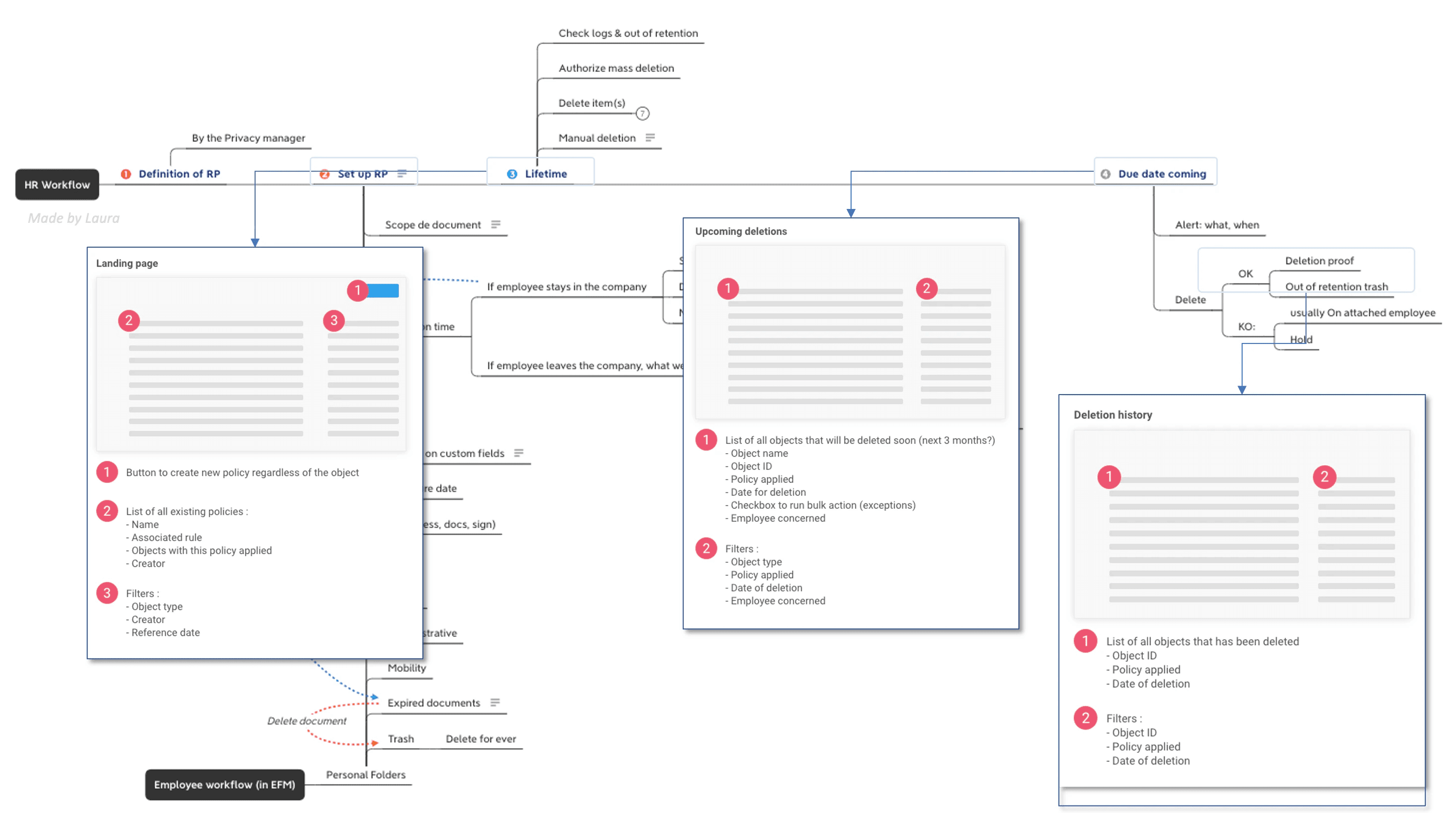
Design decisions: I structured the experience around a 3-stage lifecycle that builds trust progressively:
1. DEFINE: Create retention policy
2. PREVIEW: See upcoming deletions. This "preview before commit" model let users feel in control even as the system operated autonomously.
3. (Optional) CONFIRM: Authorize mass deletion (one-time approval) or they let it be
Testimonial:
"I need to see what's about to be deleted before it really happens" - HR manager, 2K+ employees
Testing automating "anxiety"
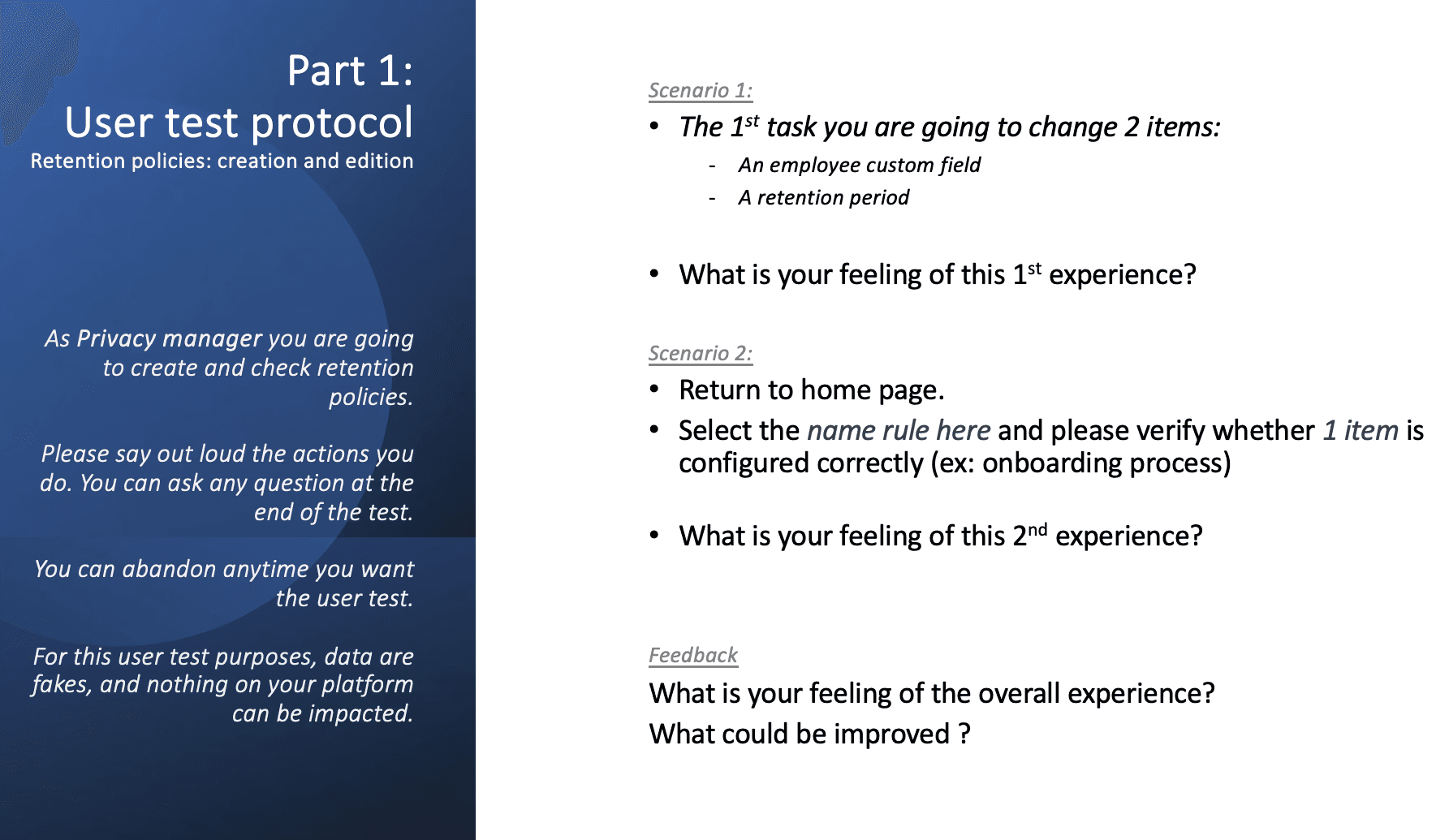
I formulated 3 behavioral hypotheses and tested them through scenario-driven usability sessions: ✅
Assumption 1 : Users will manually delete items preventively (before automatic deletion) because they don't trust the system. Validated : 5/6 users deleted items "just to be safe" → In real life, this behavior faded as trust grew
Design rationale: Rather than prevent early deletion, I added a banner: "This item will be automatically deleted in 3 days. No action needed." This normalized automation.
Assumption 2: Users will verify the origin of deletion before  confirming mass actions.  😕 Not Validated : Users focused on WHAT was being deleted, not WHO triggered it.
Design rationale: I de-emphasized user attribution and  highlighted policy name + deletion date instead.
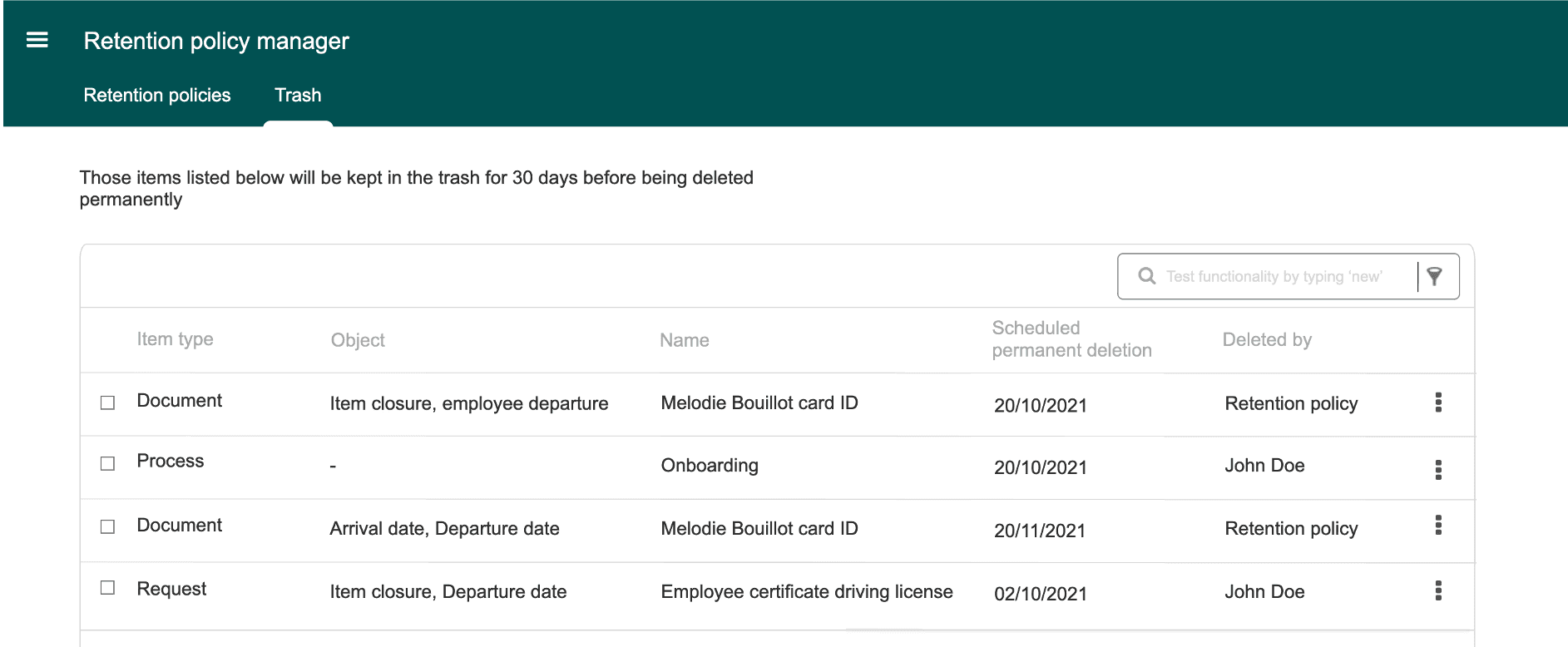
Assumption 3: Users need a centralized "trash view" separated from the retention manager. ✅ User will restore only items deleted by someone in the team because of an error 😕 Not Validated : 8/8 "If the policy deleted it, I want to undo it here, not hunt for it elsewhere." - HR manager
Design rationale: I embedded the "Upcoming deletion" tab close to the Retention Manager, creating a single source of truth.
Iteration & alignments
One insight reshaped the entire information architecture:
"Retention policies are stable over time. But when they do change, the stakes are enormous." - Alex, Product Owner

This meant most users would:
✓ Create 2-5 policies once
✓ Check "upcoming deletions" occasionally
✓ Rarely update policies... but when they did, errors could impact 1,000+ items

Design rationale: Progressive disclosure + preventive warnings