Eliminating the 10-day configuration bottleneck
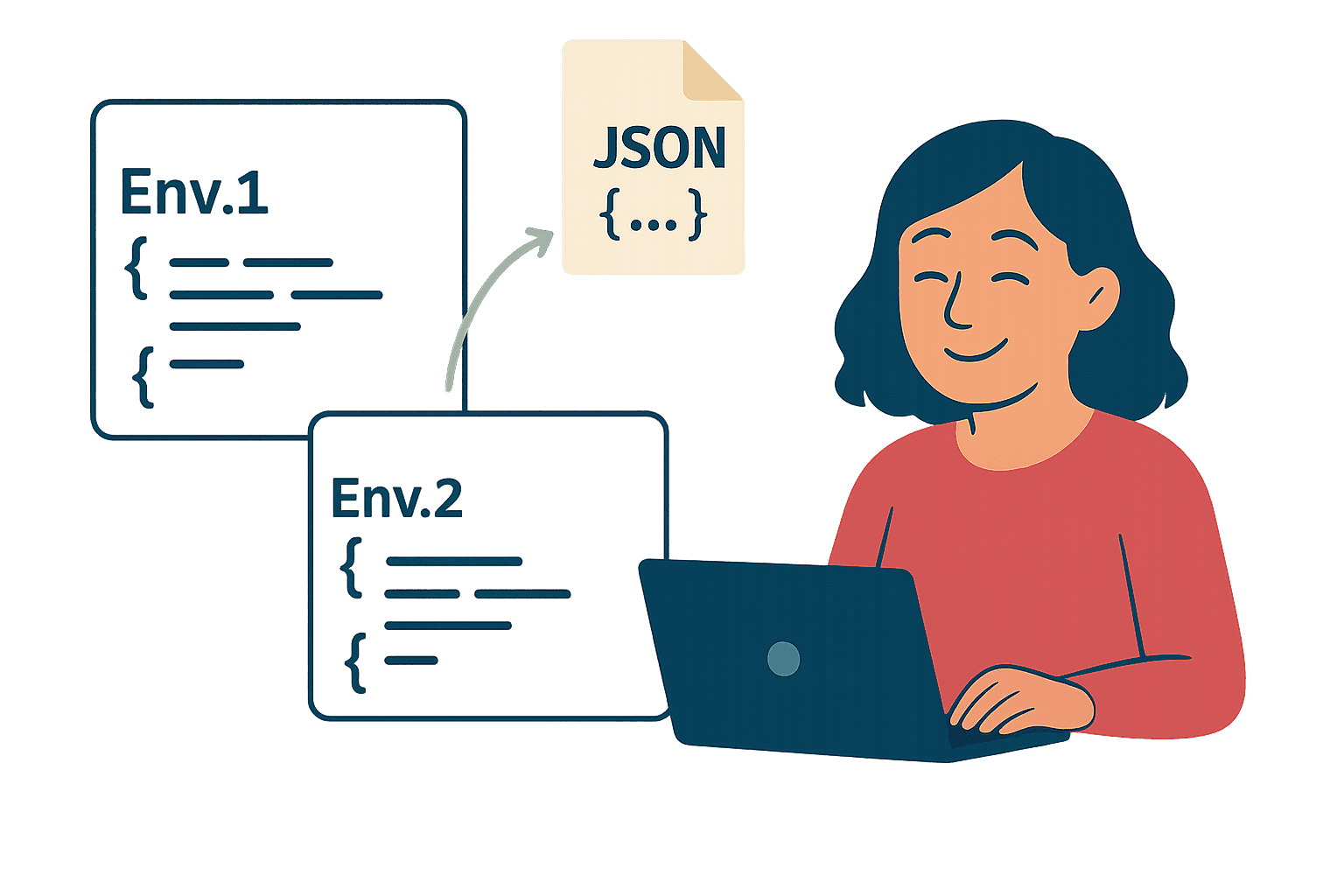
How an export/import configuration feature saved 200K€, gave implementation teams their confidence and time back.
👥
Lead UX Discovery
🎓
Share KB
🤝
Aligned cross-functional teams
🎉
€200K saved & 96% user adoption
The problem
Implementation Project Managers (IPMs) spent 10 days, per customer, manually copying customer configurations from staging to production. This slows down new implementations and delay customer onboarding.
The stakes:
• 50-100 business rules per customer (high error risk)
• 4 separate tools to configure (complex workflow)
• No visibility into what was copied vs. pending
• Bugs discovered only after go-live (anxiety, back-and-forth, trust issues)
Testimonial:
"I spend half of my time just copying detailed configurations.
It's so repetitive and time-consuming" - IPM
How might we enable safe, fast configuration transfer while
maintaining data integrity and user trust?
Key insights:
IPM, PGLS use log_as to double-check their duplicated configuration —> non-compliant work-around, low reliability
Discovery revealed teams spent a lot of time verifying copies —> Users need confidence and follow-up.
My approach
Discovery & scope definition
I shadowed 3 full configuration processes with IPM & PGLS (Post-Go Live Services)
Mapped copying journey with IPM mental model
Detailed API availabilities with engineers
Key insight:
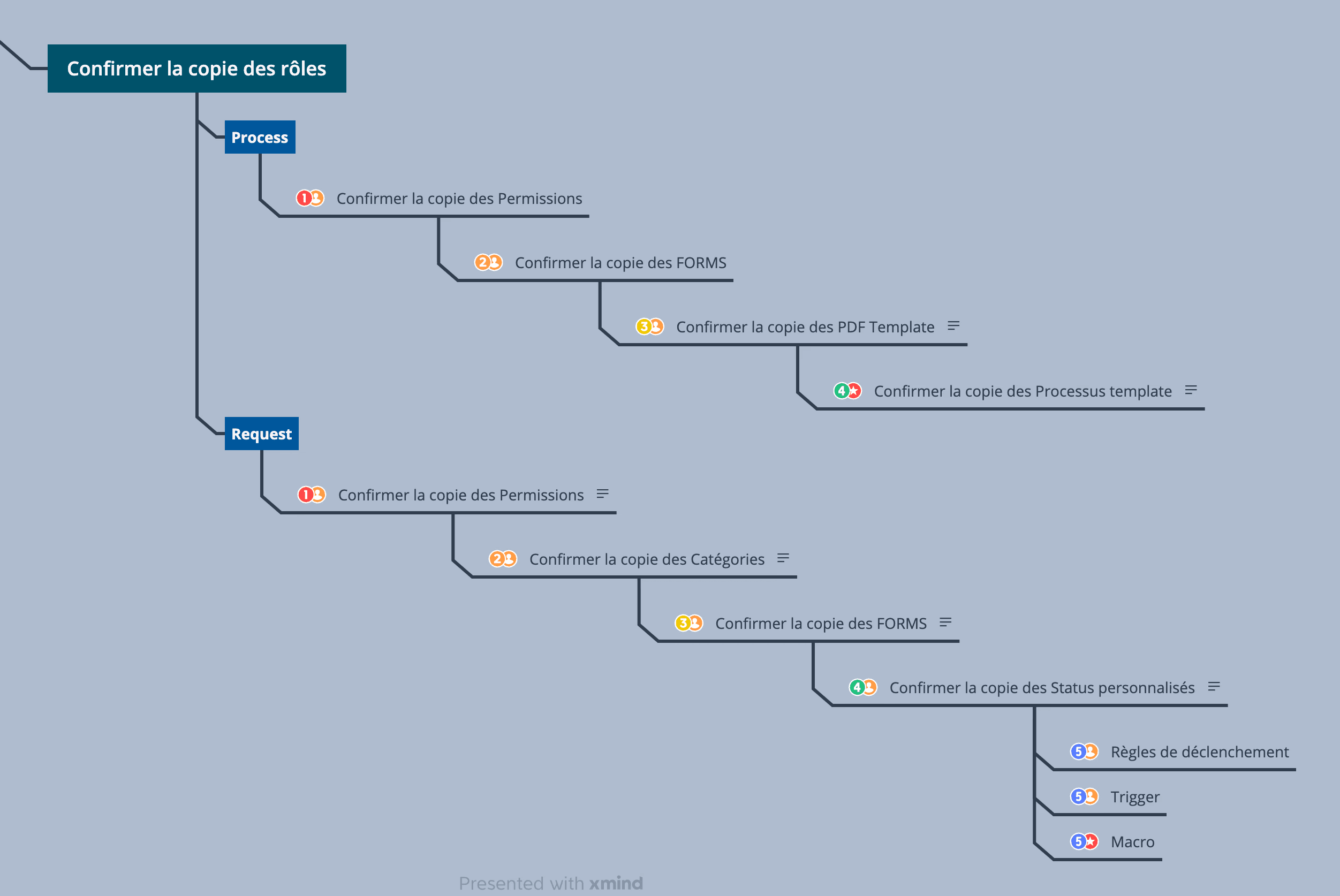
Mapping dependencies revealed critical copy order
Design solutions and decisions
I led design ideation, co-design workshops and 5 guerrilla testing.
Key finding: users preferred granular control over speed.
Design decision: "Review before commit" over "one-click"
✓ Users choose what to copy for each category —> reduces risks and more flexible + reduce cognitive load
✓ Preview summary before export —> builds trust through transparency
✓ Highlight the environment —> transparency + prevent accidental overrides
✓ Provide a post-import report with success & error-retry option —> feedback and outcomes
Trade-off: Slower than one-click, but accuracy > speed in production deployments.
The solution
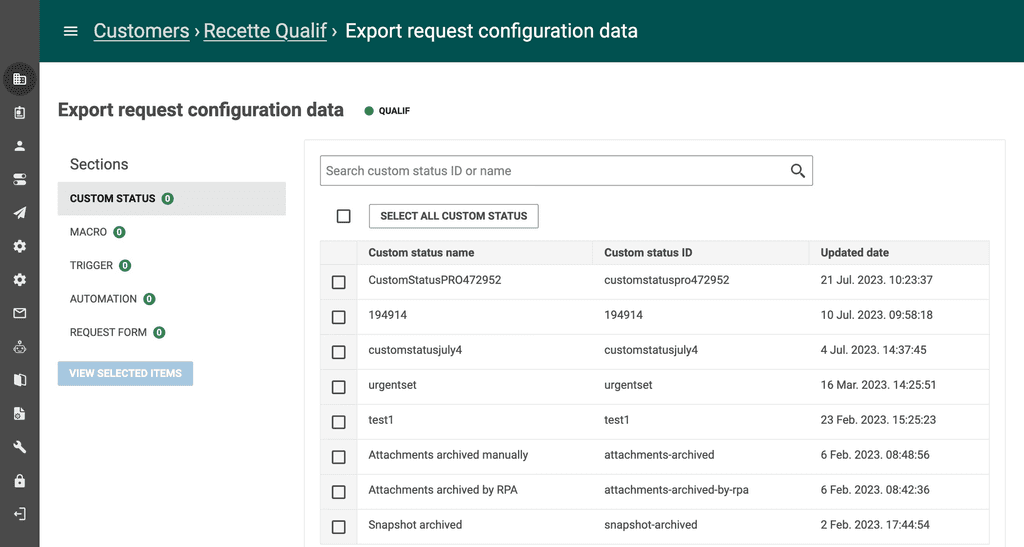
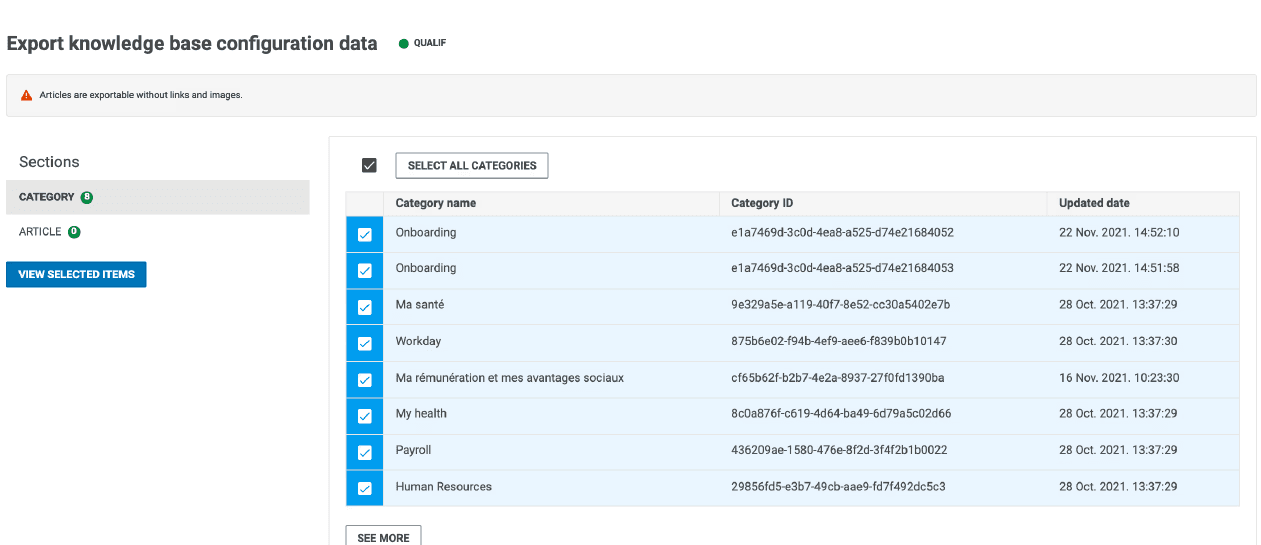
Step 1: Package configuration
Vertical categories matches IPM mental model
Item counts + search speed up granular selection
Environment badge displayed all the time
Decision rationale: Shopping cart pattern (vs "select all") gives users control in high-stakes tasks.
Step 2: Verify before import
"Already existing" indicator : prevent overrides
Timestamp help identify outdated configs
Item-level selection allows excluding specific items
Decision rationale: Transparency reduces users fear : "will this override my production configuration?"
Step 3: Monitor & retry
Users receive a detailed success/fail report with actionable errors and the ability to retry failed items without restarting the entire import.
Item counts per products to compare platforms and follow-up manual copying
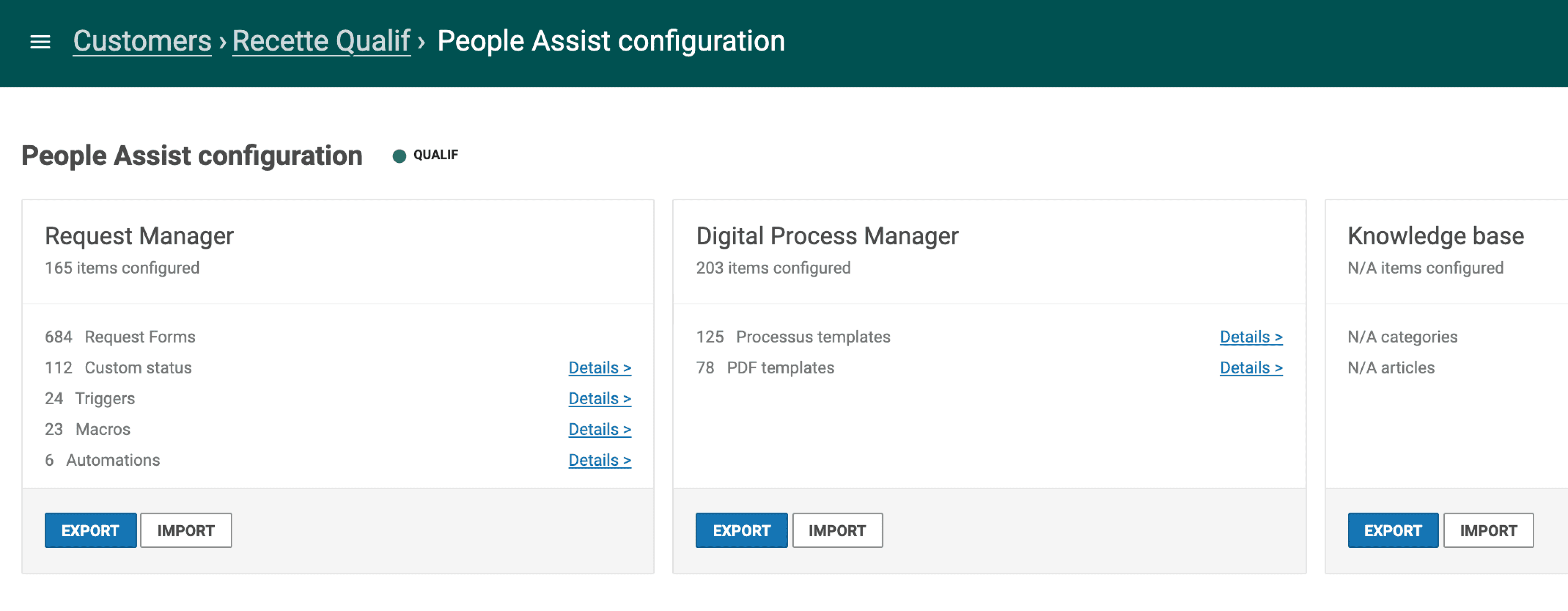
Data coming from Pendo

96%
users adoption rate with high confidence
Additional outcomes:
Configuration error rate drop near 0
Unexpected use case: replicate configuration multi-sites and multi-customers